Anytime, Anywhere Learn Whenever You Want

●Windows 7 or above operating system
●Apple Mac OS
●iPad IOS 9.0 /Android Pad system version 4.4 or above
●USB headset recommended for desktop and laptop
●Recommended to use stable local network communication operators.
●Network cable - use a network cable to connect to the computer (full signal is best for wireless network)
●No plugging or unplugging headphones during the class, you need to restart the class software or the browser if you have done so.
●Family members are not allowed to use the internet to watch movies or download them during class.
●If you need change the class equipment or network, please contact the teaching assistant to test the network.

●Official APP Download - Android Version

●Official APP Download - IOS Version

●When there is a technical problem, open this software, provide the software identification code and verification code, then you can get the problem fixed through a quick remote assistance.

●We recommend using Google Chrome for it provides the fastest and stablest loading speed to bring you a better class experience.

●We recommend using WPS to view or modify the courseware used in class, which is more compatible and can better display animations, materials and other teaching contents.

●When modifying or viewing courseware, we recommend downloading the Founder´s italic font library, which will display all the fonts of the courseware.
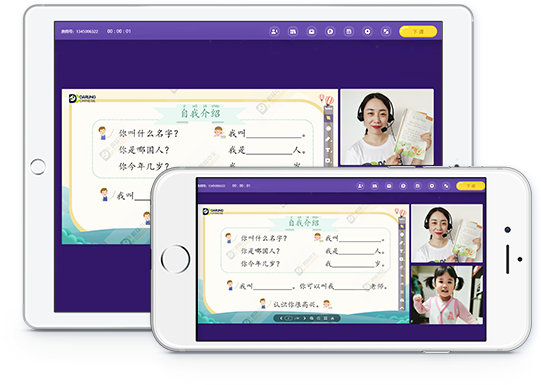

●Hardware Requirement: iPad air or above
●Software system: IOS 9.0 or above
●How to Download: Search for "Talk-Cloud Plus" in the App Store, or click the "Download Now" button below to download.
Room 418-740, Floor 4, Shanshui Tower, No.3 Gulou East Street, Miyun District, Beijing, China

WeChat Official Account
Beijing Rongdinghui Technology Co., Ltd. Registration No.:京ICP备20019776号-1